Content calendar
Capture creative ideas, build multi-dimensional topic pools, and organize editorial schedules on an interactive timeline.
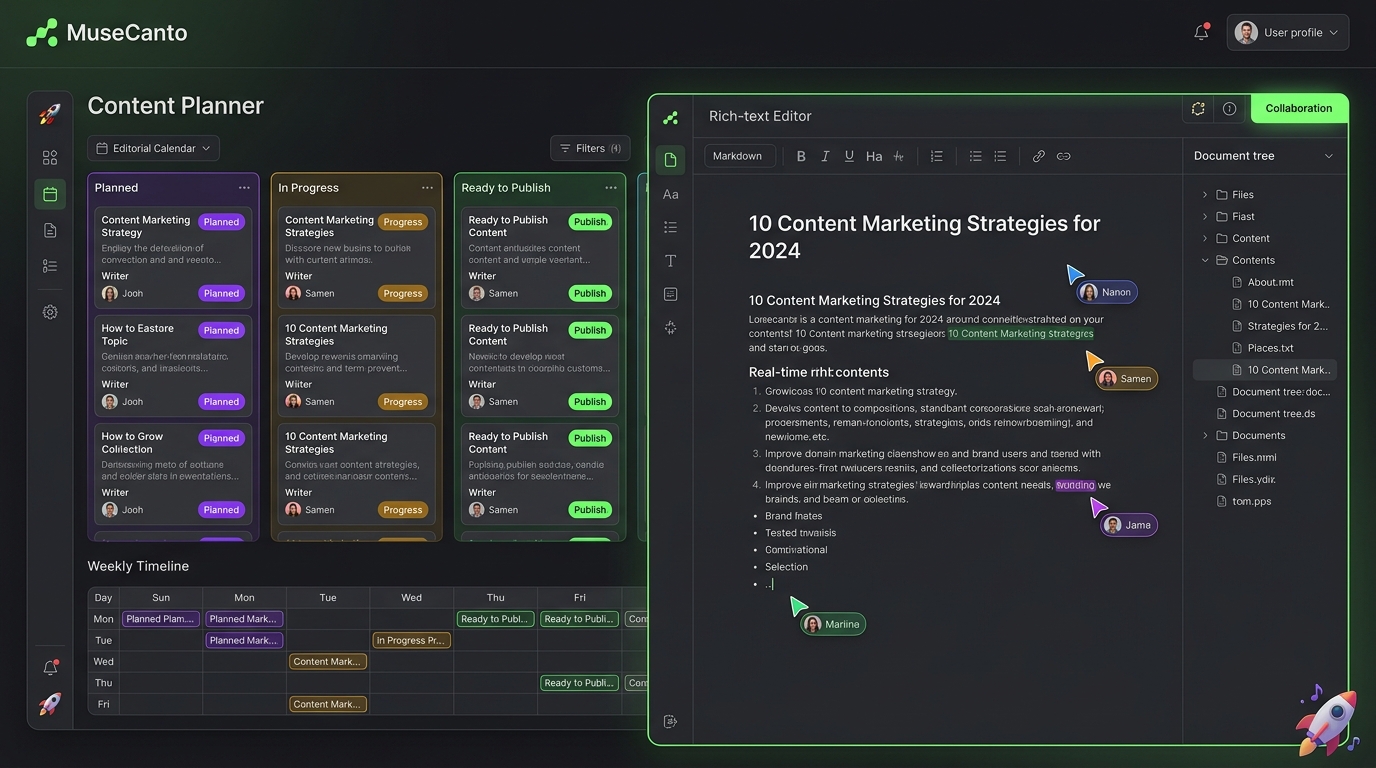
Great content begins with systematic editorial planning. MuseCanto's Content Calendar brings ideas, categorization, writing progress, and scheduled posts into a unified timeline view so teams always stay ahead of deadlines.
Creating & Managing Topics
1. Adding a Topic
Navigate to Content Calendar in your workspace:
- Click New Topic and specify a title (e.g.,
Building Production AI Agents with MCP). - Angle: Define the creative angle, target persona, core thesis, and keywords.
- Category Tag: Categorize topics (e.g.,
Product Tutorials,Industry Trends,Engineering Best Practices) for easy filtering and reporting.
2. Multi-View Perspectives
Switch between different perspectives based on your planning granularity:
- Month View: Macro-level overview of the entire month's publishing cadence and content density.
- Week View: Micro-level tracking of active drafting, reviews, and upcoming distribution runs.
- List / Kanban View: Status-driven cards grouped by "Planned", "In Progress", and "Ready to Publish".
Interactive Drag-and-Drop Scheduling
Calendar items are interactive and support smooth drag-and-drop actions:
| Topic Type | Drag Action Effect | Crucial Note |
|---|---|---|
| Standard Long-Form Topic | Updates the internal Planning Date | Organizes internal team milestones; never triggers external publishing |
| Scheduled X Topic | Updates the cloud Scheduled Dispatch Time | Automatically synchronizes with the cloud dispatch queue |
| Published Post | Card is locked from drag rescheduling | Protects historical social timeline integrity |
Archiving vs Rescheduling
If you archive an X topic that has a pending future dispatch job, the system will automatically cancel that scheduled cloud delivery. To simply change the time, drag the card to a new date or edit the time in the post drawer.
Status Badges and Workflow Lifecycle
Color-coded badges clarify current status:
- 🟡 Todo / In Progress: Writing or gathering research.
- 🔵 Scheduled: Cloud cron worker is queued for upcoming automated dispatch.
- 🟢 Published: Content has been successfully pushed and logged.
- 🔴 Failed: Execution encountered an issue (expired token, platform rate limit). Click the card to inspect diagnostic error details.
AI Collaboration via MCP
With MuseCanto's native MCP integration, AI assistants like Cursor and Claude Code can call:
list_topics: Fetch current calendar schedule and active drafts.create_topic: Automatically log new editorial ideas during chat.
For example, ask Cursor: "Analyze my content calendar for next week and generate 3 topic cards focusing on Next.js App Router performance."