Publishing
Explore MuseCanto's distribution philosophy, end-to-end security architecture, and platform adapters.
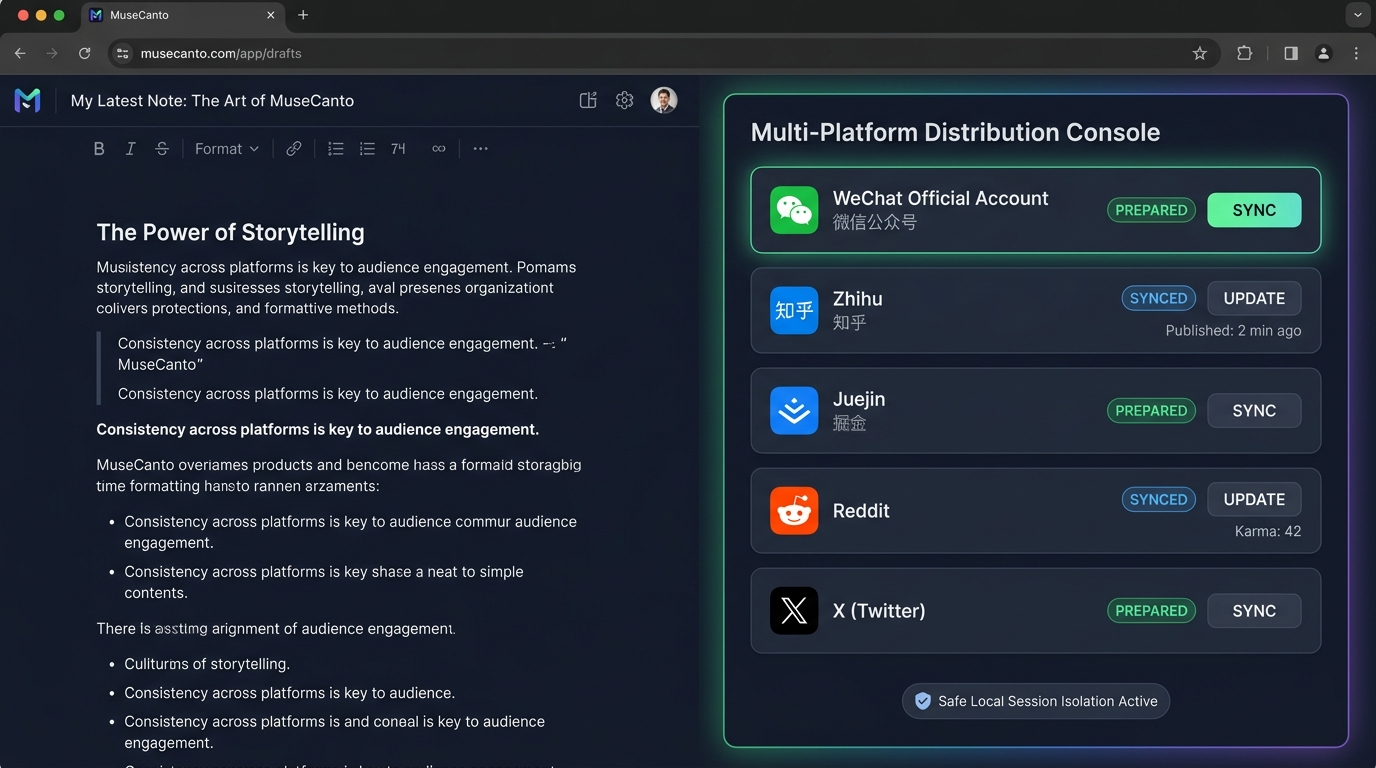
In modern digital publishing, "create once, distribute everywhere" is crucial for audience growth. However, creators typically suffer from two severe pain points: tedious manual copy-pasting across dozens of editors, and giving third-party cloud services access to private account passwords, causing severe ban risks.
MuseCanto pioneered the "Web Content Snapshot + Local Browser Extension + Isolated Adapters" architecture, achieving unmatched distribution efficiency while upholding enterprise-grade privacy.
End-to-End Distribution Architecture
A standard multi-platform publish job follows this secure loop:
Document View or Edit State
  → Open the right-hand "Distribution / Ops" drawer
  → Web client generates an immutable Content Snapshot
  → Cloud API creates a persistent Publish Job entity
  → Page Content Script hands over the job to Extension Background
  → Extension Background checks session isolation & destination logins
  → Platform Adapter pastes formatted content into the native editor
  → Extension reports back status, draft IDs, and direct preview links
  → Web Console visualizes progress and human verification checkpoints
Module Responsibilities
| Module | Core Responsibility | Security & Privacy Mechanism |
|---|---|---|
| Web Distribution Drawer | Select channels, generate revision snapshot, trigger Job | Only transfers public article Markdown/HTML and media URLs |
| Content Script | Bridges MuseCanto webpage with extension background | Restricted to exact same-origin domain with single-use grants |
| Extension Background | Job validation, lease maintenance, parallel orchestration | Runs locally on your machine; coordinates platform tabs |
| Extension Side Panel | Channel permission inspection, progress status, manual confirmation | Local UI displaying real-time feedback per destination |
| Platform Adapters | Inspects target DOM and fills formatted rich-text | Executes inside isolated browser tabs; strictly prevents token leaks |
Supported Platform Behaviors
"Handled" behaves differently depending on the destination platform:
| Destination | Execution Mode | Publicly Live | Final State | Human Action Needed |
|---|---|---|---|---|
| WeChat Official Account | Injects inline-styled rich HTML and saves draft | No | draft | Open MP admin, set cover, declare original work, and broadcast |
| Zhihu | Pastes Markdown and triggers native engine parse | No | prepared | Wait for image resolution, then click Publish |
| Juejin | Injects title and Markdown body | No | draft | Pick community tag and confirm cover image |
| Populates Subreddit Text Post title and body | No | prepared | Pick relevant post Flair and click Submit | |
| X (Article) | Creates draft Article on X | No | draft | Check formatting and publish in X Creator Studio |
| X (Threads) | Official cloud API immediate or scheduled send | Yes | published | Check character count and media attachments before submit |
Why do long-form platforms default to draft filling?
Major platforms like WeChat and Zhihu enforce strict compliance, cover cropping, and copyright checks. Safe draft filling removes the tedious copy-paste friction while leaving final editorial authority in your hands before pushing publicly.
Zero Credential Exposure Principle
Uncompromising Security
MuseCanto cloud servers never request or store your WeChat, Zhihu, or Reddit login passwords or cookies. All actions are executed locally through your personal browser extension, keeping session cookies strictly confined to your browser sandbox.
Ready to Distribute?
If this is your first time distributing content, follow the Browser Extension Setup Guide to install the extension, then trigger omnichannel distribution directly from any document!
Record a publication made outside MuseCanto
Open the document's right-hand settings, find Publication records, and choose Mark as published. Select a platform and its actual publication time. URLs and notes are optional; custom platform names are supported. This records a completed publication without publishing anything.
A published record cannot be reverted. URLs, time and notes remain editable. Long-form articles are recorded per platform and remain editable. For X, confirm the entire post or thread was published; its text becomes read-only. Duplicate it to create another draft.
Registration cancels pending delivery to the same platform while keeping other platforms and execution history intact. Wait for running publication to finish. Copying content, filling an editor or saving a platform draft does not count as publication.
Manual registration is available only in the website. MCP reads the actual publication status and cannot mark content as published. Publishing management permission is required; no platform connection or system publishing quota is needed.